LEARNING WITH STEM
  • HOME
    • Contact
  • DESIGN THINKING
    • FOOD
    • CHAIN REACTIONS
    • ROLLERCOASTERS
    • BRIDGES
  • GET MOVING
    • MOUSETRAP CARS
    • LIFT OFF
    • ROCKETRY
    • DRONES
    • SIMPLE MACHINES
  • SUSTAINABLE STEM
    • ENERGY
    • TINY HOUSES >
      • DESIGN
      • BUILD
      • BUILD YOURSELF
  • TECH IT OUT
    • AI >
      • WHAT IS AI?
      • THINK
      • DATA
      • ETHICS
    • ROBOTICS
    • INTERNET OF THINGS
    • TURTLEART
  • PUZZLES
    • CAN YOU?
  • Bag of Bits Creations
  • New Page

The Internet of Things (IoT)

​Introduction Activity 1 - What is the Internet of Things? – 15 minutes


Materials Required
  • STEM Sketch Book
 
Instructions
  • Create a Heading Page for “The Internet of Things” IoT
  • Watch the video
  • Use some ideas from the video to draw some images on your heading page

​Introduction Activity 2 – Internet of Things – Real Life Examples - 15 minutes
Picture
Picture
Picture
​Materials Required
  • STEM Sketch Book
 
Instructions
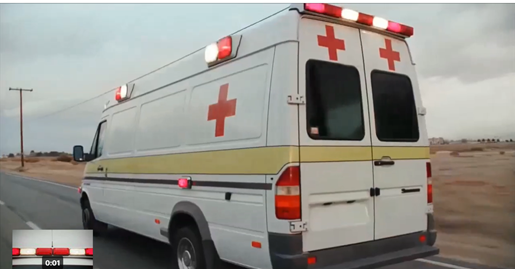
  • View the videos to explain the Internet of Everything.
  • CISCO IoE1 - STEM Learning
  • CISCO IoE2 - STEM Learning
  • ​CISCO IoE5 - STEM Learning


  • Understand how being able to connect products can bring huge benefits to the world, especially in saving lives.
  • Discuss with your group or class your views on the IOT.
  • Divide a page of your Sketch book into three equal parts – One for each video in this activity.
  • Make a Heading – IoT – Real Life Examples
  • In each part, make a summary of the ideas in the video using both words and images.

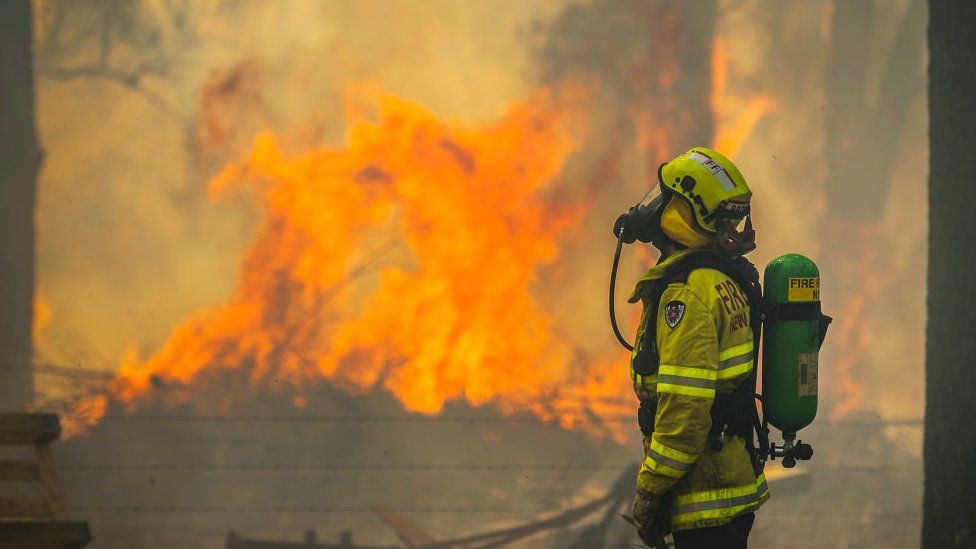
​Example of IoT Activity 1 – How can Fire Fighting Equipment be improved using IoT?
​- 20 min

Picture
Materials Required.
  • Glue sticks and scissors
  • STEM workbook and pencils
  • Work sheet 1 – A modern Firefighter DT - editable - Print - 1 copy per group
  • Work sheet 2 – Device Cards DT - editable - Print - 1 copy per group
Instructions
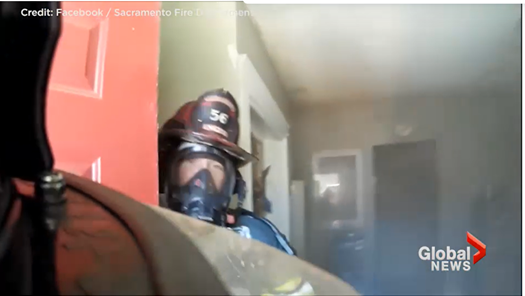
  • Watch videos to explore the context of what fire fighters are faced with in a domestic fire.  
http://www.detroitfirefilm.org  

https://globalnews.ca/news/3562420/dramatic-helmet-cam-footage-shows-what-firefighters-face-inside-a-burning-home/
​
  • Work in groups, 2-4 per group is ideal.
  • Select a range of devices to add to the firefighter to further equip them to help save lives more efficiently and to reduce the risk to their own life.
  • Cut and paste their devices in the appropriate place on the worksheet and use annotation to explain the purpose of the devices. How will they be linked together and what will be the benefit?
  • Glue the Worksheet into a STEM workbook and record all the group members names on the page.
  • Example of annotation: a thermal Imaging camera will help to distinguish fire intensities, but also in a smoked filled room it could pick up body heat that is not visible due to the situation. This will help direct firefighters to find people or the source of the fire.
 
Activity extension A – 10 min
  • Extension task: using the two blank cards, what could you invent to help?
 
Activity extension B – 15 min
  • Groups to present which devices they have used and to explain how they used the IOT to connect devices together and solve the Big Question - How can the IoT help Fire Fighting in the future.
 
Activity extension C – 15 min
  • Write a paragraph in your STEM workbook to describe a how the IOT helps a firefighter to do their job. Start with them receiving the call, getting to the job, fighting the fire and then the clean up afterwards​
Your browser does not support viewing this document. Click here to download the document.
work_sheet_1_a_modern_firefighter_dt_-_editable.pdf
File Size: 258 kb
File Type: pdf
Download File

Your browser does not support viewing this document. Click here to download the document.
work_sheet_2_device_cards_dt_-_editable.pdf
File Size: 670 kb
File Type: pdf
Download File

Picture

Example of IoT Activity 2 - What are the needs of the modern-day firefighter?  - 10 min

Your browser does not support viewing this document. Click here to download the document.
work_sheet_3_design_context_dt_-_editable.pdf
File Size: 506 kb
File Type: pdf
Download File

​Materials Required
  • Work sheet 3 – Design Context DT - editable - save to your drive to edit
  • Computers/tablets for research, if needed.
  • Key words for structured internet research – Brainstorm Key Words as a class
Instructions
  • Work in groups, 2-4 per group is ideal.
  • Using the design context template, create a design context for fire fighters by filling in the 8 boxes on the worksheet.
  • Research devices and decide upon how mobile are they? Are they limited to any factors such as battery life? Obviously, you can’t change your battery or recharge when you’re in the middle of fighting a fire?
  • Are there any requirements of how these devices will be attached to the firefighter? Remember the user needs.
  • Are they any requirements for materials/smart/modern materials for the devices?

Example of IoT Activity 3– How can IoT help firefighting in the future? - 15 min

 Materials Required
  • Sticky notes
  • Sketching materials
  • Work Sheet 4 – Design Template DT - editable - Print 1 copy per group or save to drive to edit.
Instructions
  • Work in groups, 2-4 per group is ideal.
  • Explore design ideas through sketching of how a future firefighter will look like?
  • All students can complete at least one design per group member, then develop these designs to a final design idea.
work_sheet_4_design_template_dt_-_editable.pdf
File Size: 44 kb
File Type: pdf
Download File

Your browser does not support viewing this document. Click here to download the document.

Example of IoT Activity 4 - The future of firefighting.  Has the IoT been used?  - 10 min

Your browser does not support viewing this document. Click here to download the document.
  Materials Required
  • Post it notes
  • Worksheet 5 - Future Firefighter discussion DT - editable - save to your drive to edit.
Instructions
  • Work in groups, 2-4 per group is ideal.
  • The future of firefighting, has the IoT been used? Compare your final design from Activity 3 against the images in the worksheet, what are the differences? What would you do differently in yours?  Type your ideas into the worksheet.
  • Share your group’s ideas with the class and invite them to collaborate further with you using the post it notes.
  • Use the Post it notes to combine the ideas from all the group sheets in the class to design the ideal IOT equipment for the Future Firefighter.
work_sheet_5_future_firefighter_discussion_dt_-_editable.pdf
File Size: 1883 kb
File Type: pdf
Download File

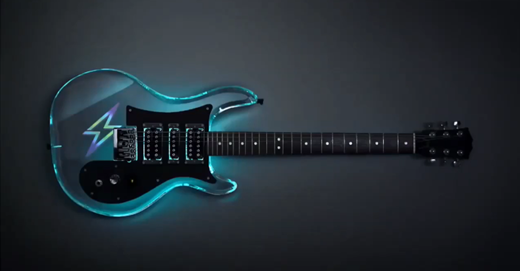
Idea Generating Activity - Top 10 IoT Projects for 2021 – 25 min

​Materials Required
  • STEM Sketch or writing book
 
Instructions
  • Put a heading in your sketchbook – Top 10 Projects for 2021 – use a whole page
  • Divide your page into 10 equal parts
  • Watch the video
  • Name a project from the video in each square on the page. 
  • Illustrate three or more of these projects using ideas from the video
  • Share your work with your teacher

Design Challenge – The Internet of Things – approx. 5 periods
​

​ What will we be doing?
  • Designing and making a prototype of an IoT Device
 
What are we learning? 
  • Understanding that IoT helps us work smarter, live smarter, and gain control over our lives.
  • Learning how IoT allows companies to automate processes and save money on labour.
  • Realising that IoT is growing in importance, both for industrial use and everyday use. It is making our lives better in so many ways, and it will likely continue to do so.
  • Discovering that, along with the problems we know we have, it is solving problems we didn’t even realize were a problem.
​
What can we make?
Upload a photo or video of your IOT prototype to the Padlet below when you are finished

Made with Padlet
  Remind me again – what sort of problems can we solve with IoT?  Watch the Video below to find out!
​Materials Required
  • Resource Document - IoT Ideas Grid
  • Resource Document - Internet of things tutorial document - 53 pages
  • Worksheet - Materials required for IoT Project - editable
  • Worksheet – Design Folio for IoT - editable
 
Instructions
  1. Watch the video – The awesome world of IOT for kids.
  2. Discuss the ideas in the video with the view to creating your own IoT idea.
  3. Use the IoT Idea Grid to decide what sort of IoT device you would like to design.  The page numbers on the IoT idea grid will direct you to the relevant pages of the internet of things tutorial document which will explain your area of interest in more detail. The tutorial document also has a hyperlinked menu so you can navigate the document quite easily.
  4. Once you have decided on your IoT idea, decide which materials you will need to make a model of your IoT device.  You may be able to source some materials yourself from home or other places.  Some materials can be provided from school.  
  5. Complete the Materials required for IoT project sheet and ask your teacher where they would like the document uploaded if required.  Your teacher will need a week or so to gather the materials for you.  While your IoT device will be for the real world, your prototype will be a replica made of the material you have available.
  6. Use the Design Folio for IoT worksheet to develop and refine your own IoT device ideas.  Get creative. Imagine what could be possible.  Use your STEM sketch pads if you need more space to design.
  7. Seek feedback from others about your idea.
  8. Make a prototype with the materials your teacher gathered for you.  Remember - while your IoT device will be for the real world, your prototype will be a replica made of the material you have available.
  9. Share your idea and prototype with the class and upload a photo to the Padlet.  Your teacher may organise a lesson when you all share your ideas.  Ask others to suggest further improvements.
  10. Ask the teacher where to upload a copy of your Design Folio for IoT worksheet if required.
Your browser does not support viewing this document. Click here to download the document.
design_folio_for_iot_-_editable.pdf
File Size: 2616 kb
File Type: pdf
Download File

Your browser does not support viewing this document. Click here to download the document.
iot_-_idea_grid.pdf
File Size: 148 kb
File Type: pdf
Download File

Your browser does not support viewing this document. Click here to download the document.
materials_required_for_iot_project_-_editable.pdf
File Size: 77 kb
File Type: pdf
Download File

Your browser does not support viewing this document. Click here to download the document.
internet_of_things_tutorial_-_53_pages.pdf
File Size: 1524 kb
File Type: pdf
Download File

​Google Glass Case Study Activity- 25 minutes

Materials Required
  • Worksheet - What happened to Google Glass? - editable - download and save onto your drive to answer questions.
  • Worksheet – What happened to Google Glass? Solutions
 
Instructions
  • Watch the video and complete the worksheet
  • Your teacher may use the solutions document to check your work together as a class when you have completed the activity.
what_happened_to_google_glass_worksheet_-_editable.pdf
File Size: 119 kb
File Type: pdf
Download File

what_happened_to_google_glass_worksheet_-_solutions.pdf
File Size: 123 kb
File Type: pdf
Download File

Your browser does not support viewing this document. Click here to download the document.

​Product Review Activity – Ray Ban Stories – First Generation Smart Glasses – 30 min

Picture
Materials Required
  • STEM Sketch Book or writing book
 
Instructions
  • Watch the video
  • https://tech.fb.com/ray-ban-and-facebook-introduce-ray-ban-stories-first-generation-smart-glasses/
  • Product Review – In your STEM Sketch or writing book, review the Ray Ban Stories First Generation Smart Glasses.  Make comparisons to Google Glass in the previous activity.  Include examples of how you would use these glasses in your own life.  Include comments on the style, price, privacy, and functional aspects of the product.

​Personal IoT Devices Invention Activity – 20 min

Your browser does not support viewing this document. Click here to download the document.
Materials Required
  • Worksheet - Human Outline - editable.pdf - print or download and save to drive to edit.
  • Pens and coloured pencils
  • Optional – Work in groups with A3 size printed Human Outline
 
Instructions
  • Design and draw on the human outline at least six IoT personal devices.
  • Annotate your designed with the key features of each device.
  • Share your ideas with the class.  Your teacher may organise a lesson when you all share your ideas.
  • Ask the teacher where to upload a copy of your worksheet if required.

​3D Printing Activity - IoT 3D Printed Wearable Device – 30 min

Designing and making a protype 3D wearable device.
 
Materials Required
  • 3D Printer
  • Tinker Cad Software
  • Worksheet – IoT 3D Printed Wearable Device - download to your drive to edit. 
​  
Instructions
  • Referencing your design from the Personal IoT Devices Invention Activity, use Tinker Cad to design a model of your wearable device and ask your teacher to 3D print it if possible.
  • Complete the questions on the worksheet – IoT 3D printed wearable device.
  • Ask the teacher where to upload a copy of your worksheet if required.
Picture
iot_3d_printed_wearable_device_-_editable.pdf
File Size: 90 kb
File Type: pdf
Download File

Your browser does not support viewing this document. Click here to download the document.

​Ethics Activity - IoT Ethics WebQuest – 30 min

Materials Required
  • IoT Ethics Worksheet - download and save to your drive to edit.
  • IoT Ethics Worksheet solutions​
Instructions
  • Complete the IoT Ethics Worksheet, watching the two videos when prompted and answering the questions. 
  • Your teacher may use the solutions document to check your work together as a class when you have completed the activity.
iot_ethics_worksheet_-_solutions.pdf
File Size: 129 kb
File Type: pdf
Download File

Your browser does not support viewing this document. Click here to download the document.
iot_ethics_worksheet_-_editable.pdf
File Size: 97 kb
File Type: pdf
Download File

​Creative Writing Task Activity - Sixth Sense Technology – 30 min

Materials Required
  • STEM Writing books or writing paper or
  • 6th Sense technology – creative writing worksheet - download and save to drive to edit.
Instructions
  • Watch the video
  • https://www.ted.com/talks/pranav_mistry_the_thrilling_potential_of_sixthsense_technology?language=en
  • Creative writing task with the following prompt: IoT Devices are changing the way I interact with the world around me.  Twenty years from now ……… (minimum 6 complete sentences).
  • Ask the teacher where to upload a copy of your creative writing if required
Picture
the_6th_sense_technology_creative_writing_worksheet_-_editable.pdf
File Size: 79 kb
File Type: pdf
Download File

​Comprehension Activity – Cyberwar – The Internet of Things Apocalypse - 50 min
Picture
Materials Required
  • ClickView – Cyberwar – The Internet of Things Apocalypse (22 min) - Ask your teacher for access to Clickview
  • Worksheet – Cyberwar – The Internet of Things Apocalypse - editable - download and save to drive to edit
  • Worksheet – Cyberwar – The Internet of Things Apocalypse – Solutions
 
Instructions
  • Watch the video in ClickView – Cyberwar – The Internet of Things Apocalypse (22 min)
  • Complete the worksheet as you watch the video if possible.
  • Your teacher may use the solutions document to check your work together as a class when you have completed the activity.
cyberwar_-_the_internet_of_things_apocalypse_-_solutions.pdf
File Size: 136 kb
File Type: pdf
Download File

cyberwar_-_the_internet_of_things_apocalypse_-_worksheet_-_editable.pdf
File Size: 110 kb
File Type: pdf
Download File

Your browser does not support viewing this document. Click here to download the document.

Class Discussion Activity - DIY MicroChipper and Life Vlogger - 2 x 25 min

Picture
Materials Required
  • STEM Workbooks
Instructions
  • Watch the video - Experimenting with Biochip implants
  • Discuss with your group and then your class using these question prompts.  You might also like to write some answers or do some creative writing on this topic in your STEM workbooks.
  • How old do you want to live to?  Do you think Biohacking to extend your life is a good idea?
  • Do you think the merging of man and machine will become more mainstream in the future?
  • This device is used to measure human temperature and detect possible fever.  Could this be helpful during a pandemic?
  • How much of a threat are hackers in this situation?  What damage could they do?
  • Is it OK to modify your body away from the normal?  Under what circumstances is it ok?
  • What other applications under the skin could a human cyborg have?
  • Who is to determine what a body can do and what human existance will be all about?
  • Is it unethical to superseed your limitations?


Materials Required
  • STEM Workbooks
Instructions
  • Watch the Video - Google Glass and or Camera
  • http://vimeo.com/77810226
  • Discuss with your group and then your class using these question prompts.  You might also like to write some answers or do some research in your STEM workbooks.  
  • Are life Vloggers going to be mainstream in the future?  Are people going to willingly accept Google Glass or Rayban Stories as the normal in the future?
  • What are the benefits of these devices?  How can these devices be used in an ethical way? 
  • Cameras can be hidden in pens.  Where else can covert cameras be hidden?
  • What is the Law doing to keep people safe from the unethical use of these devices?  Does the law need to be updated?
  • How are we being recorded on a daily basis?  Are we oblivious to how much we are being recorded these days?
  • What is going to happen when we are all wearing recording devices in the future?  How can we stay safe?

​Self Assessment Activity – 15 min

Materials Needed
  • Worksheet - Stem Design Thinking – Students - editable - download and save to your drive to edit.
 
Instructions
  • Reflect on your performance in STEM over the past project, term, or semester.
  • Score yourself on the STEM Design Thinking worksheet.  Remember to give yourself a score on each row and then a total.
  • Ask your teacher where to upload a copy of your self-assessment document if required.  
stem_-_design_thinking_rubric_-_students_-_editable.pdf
File Size: 88 kb
File Type: pdf
Download File

Your browser does not support viewing this document. Click here to download the document.
Powered by Create your own unique website with customizable templates.
  • HOME
    • Contact
  • DESIGN THINKING
    • FOOD
    • CHAIN REACTIONS
    • ROLLERCOASTERS
    • BRIDGES
  • GET MOVING
    • MOUSETRAP CARS
    • LIFT OFF
    • ROCKETRY
    • DRONES
    • SIMPLE MACHINES
  • SUSTAINABLE STEM
    • ENERGY
    • TINY HOUSES >
      • DESIGN
      • BUILD
      • BUILD YOURSELF
  • TECH IT OUT
    • AI >
      • WHAT IS AI?
      • THINK
      • DATA
      • ETHICS
    • ROBOTICS
    • INTERNET OF THINGS
    • TURTLEART
  • PUZZLES
    • CAN YOU?
  • Bag of Bits Creations
  • New Page